Build a Redis Streams Work Queue in C# That Survives Worker Crashes


Orders are arriving faster than one process can handle them, so you run several workers. Now a work queue needs three things: the work has to be shared between the workers, every order has to be picked up, and nothing can be dropped when a worker crashes halfway through one.
ServiceStack.Redis v10.5 adds full support for Redis Streams, which gives you all three: an append-only log that groups of workers read from, acknowledging what they've finished, with a record of everything they haven't.
C# objects in, C# objects out
The typed Streams APIs store your POCO as JSON in each entry, so appending and reading orders takes a couple of lines:
await using var redis = await redisManager.GetClientAsync(token);

string id = await redis.AddStreamEntryAsync("orders", new OrderEvent { OrderId = 1 }, token: token);

RedisTypedStreamEntry<OrderEvent>[] entries = await redis.ReadStreamEntriesAsync<OrderEvent>(
    new[] { new RedisStreamPosition { Stream = "orders", Id = "0-0" } }, count: 100, token: token);
When you need full control, the native APIs (XAdd, XRange, XRead, XTrim, XDel and more) work with raw
binary field pairs, and get back exactly the bytes you stored. Streams require Redis 5+.
Share the work with a consumer group
A consumer group shares a stream's entries between workers. Create it once, then give each worker its own consumer
name and ask for new entries with >. A blocking read waits for up to a second for new orders, instead of polling in
a loop:
// One-time setup: create the consumer group (and stream if it doesn't exist)
await redis.XGroupCreateAsync("orders", "workers", makeStream: true, token: token);

var entries = await redis.ReadStreamGroupEntriesAsync<OrderEvent>("workers", "worker-1",
    new[] { new RedisStreamPosition { Stream = "orders", Id = ">" } },
    count: 100, blockMilliseconds: 1000, token: token);

foreach (var entry in entries)
{
    if (!entry.HasValue) continue;
    await ProcessOrder(entry.Value);
    await redis.XAckAsync("orders", "workers", new[] { entry.Id }, token);
}
Redis deals new entries out between the workers in the group, so each order goes to one worker.
Not done until you XACK
Reading an entry doesn't remove it. Redis records it in the group's pending list, owned by the worker that read
it, until that worker acknowledges it with XAck. Only acknowledge after the order has been processed successfully.
XPendingEntries shows each pending entry's owner, how long it's been idle and how many times it's been delivered,
which is everything you need for your own retry and dead-letter rules.
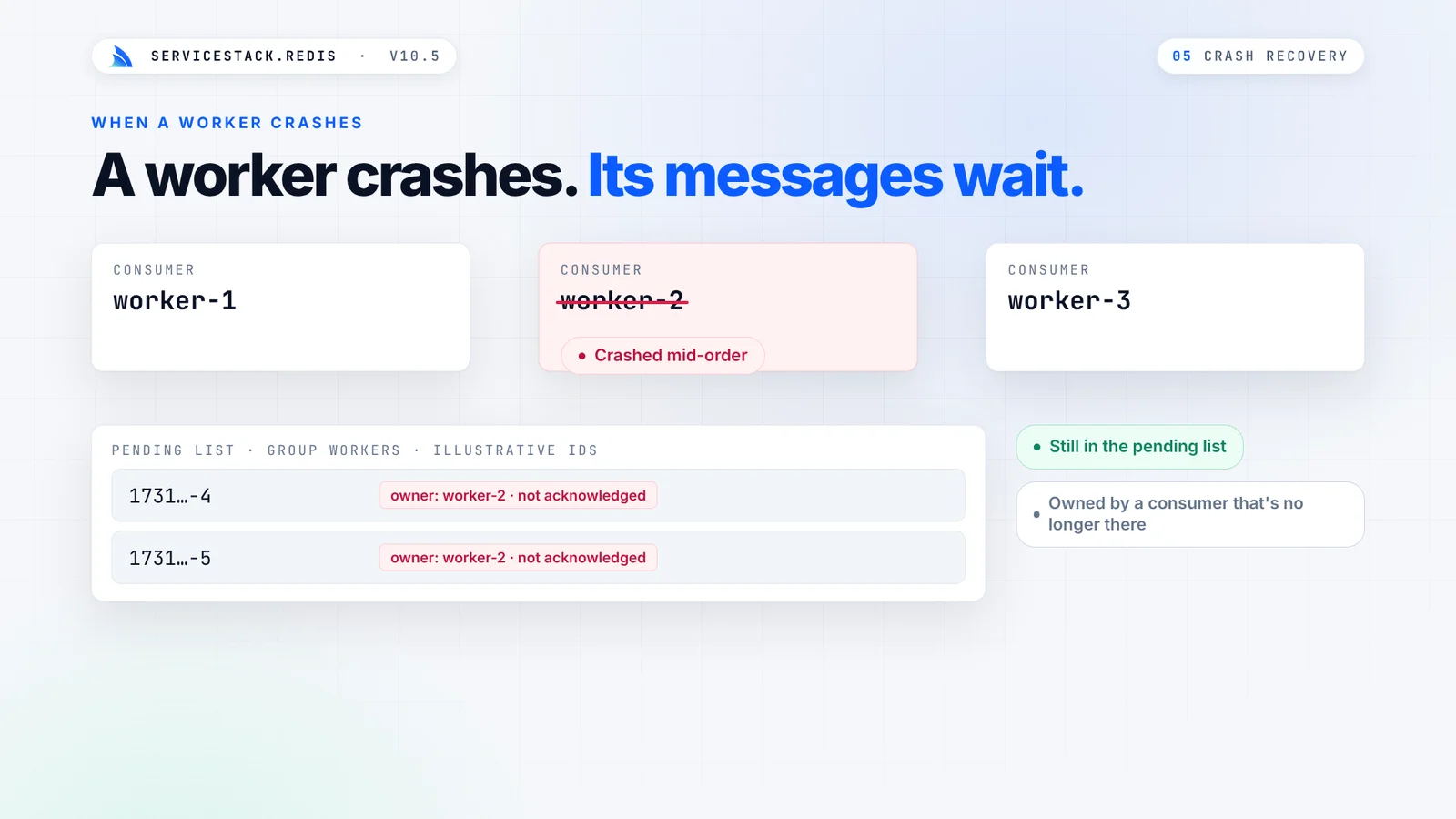
A worker crashes. Its messages wait.
When a worker crashes mid-order, its unacknowledged entries stay in the pending list, still owned by the worker that will never come back:
XAutoClaim lets a healthy worker take them over. It claims entries that have been idle longer than a threshold, and
returns a cursor to continue from until it returns 0-0:
var result = redis.XAutoClaim("orders", "workers", "worker-3",
    minIdleMilliseconds: 60_000, start: "0-0", count: 100);
// Process the claimed entries, XAck them, then continue from result.NextStartId until it's "0-0"
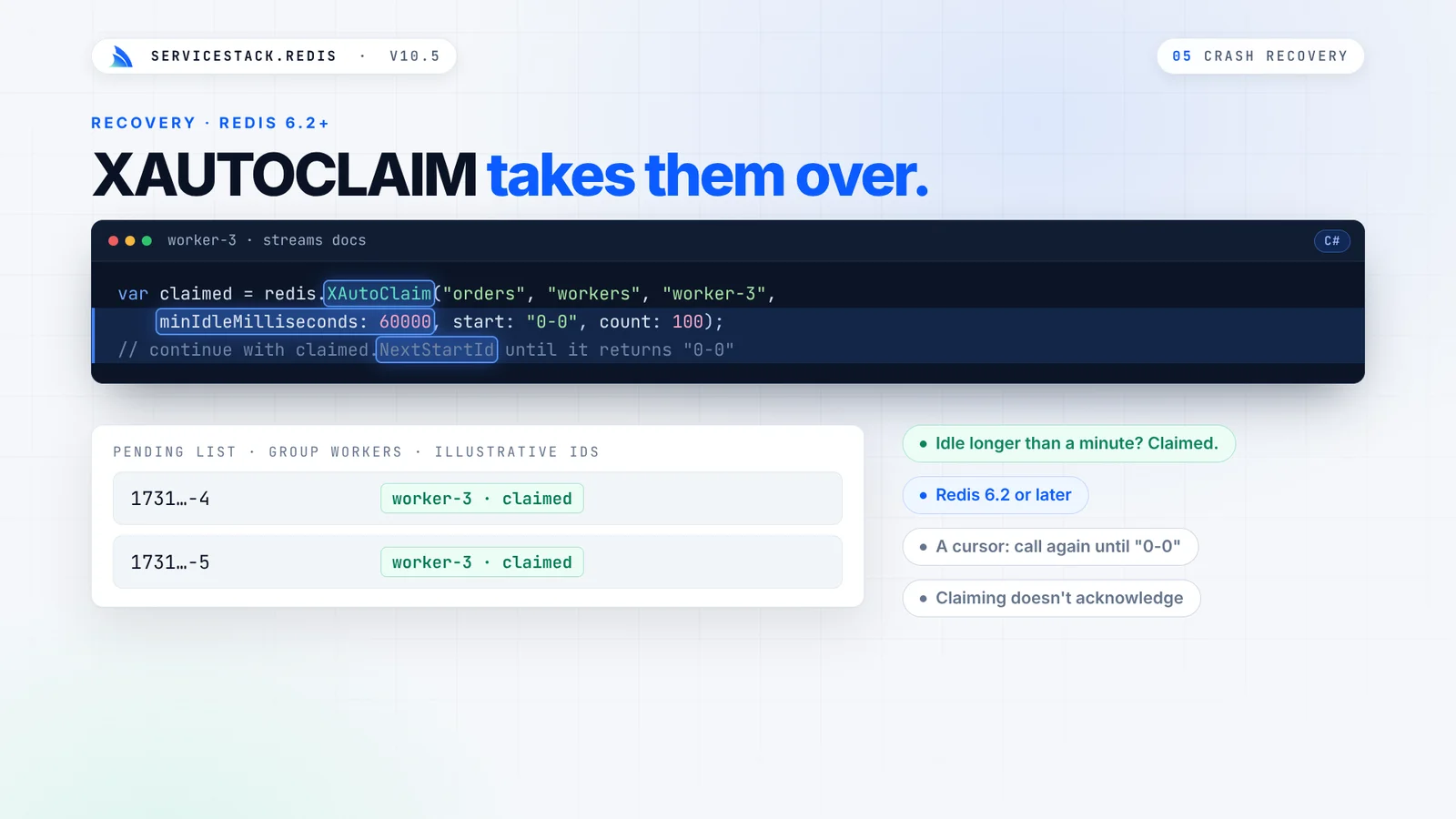
Claiming doesn't acknowledge an entry. worker-3 processes the orders it claimed, then acknowledges them like any
other. XAutoClaim requires Redis 6.2+.
Delivered again, handled once
There's one consequence to design for. If a worker processed an order, say it charged a card, and crashed before acknowledging it, the order is reclaimed and delivered again. Redis Streams are at-least-once, so make each handler idempotent: include your own event ID in the payload, and check it before you act on it.
A thousand events, in batches
AddStreamEntriesAsync appends many entries at once, in pipelined batches, optionally trimming the stream with
MAXLEN, and returns the generated IDs in input order:
var events = Enumerable.Range(1, 1000).Select(i => new OrderEvent { OrderId = i });
string[] ids = await redis.AddStreamEntriesAsync("orders", events,
    batchSize: 100, maxLength: 10_000, token: token);
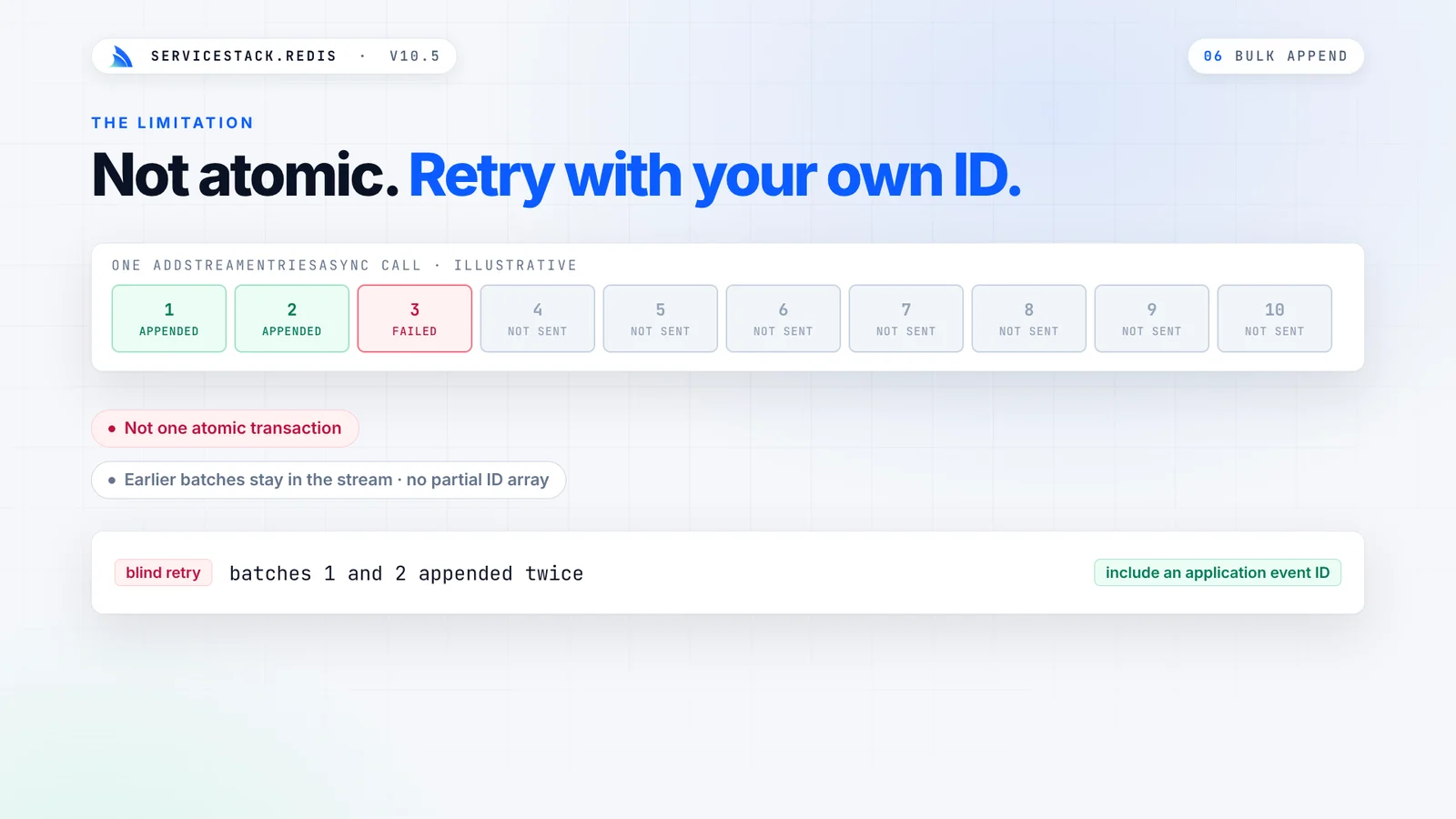
Bulk appends are pipelined, not atomic. If a batch fails, the earlier batches are already in the stream, so a blind retry appends them twice. Include an application event ID when you need to retry safely:
XAdd, XAck, XDel, XTrim and XLen can also be queued in Redis pipelines.
Every waiting worker holds a connection
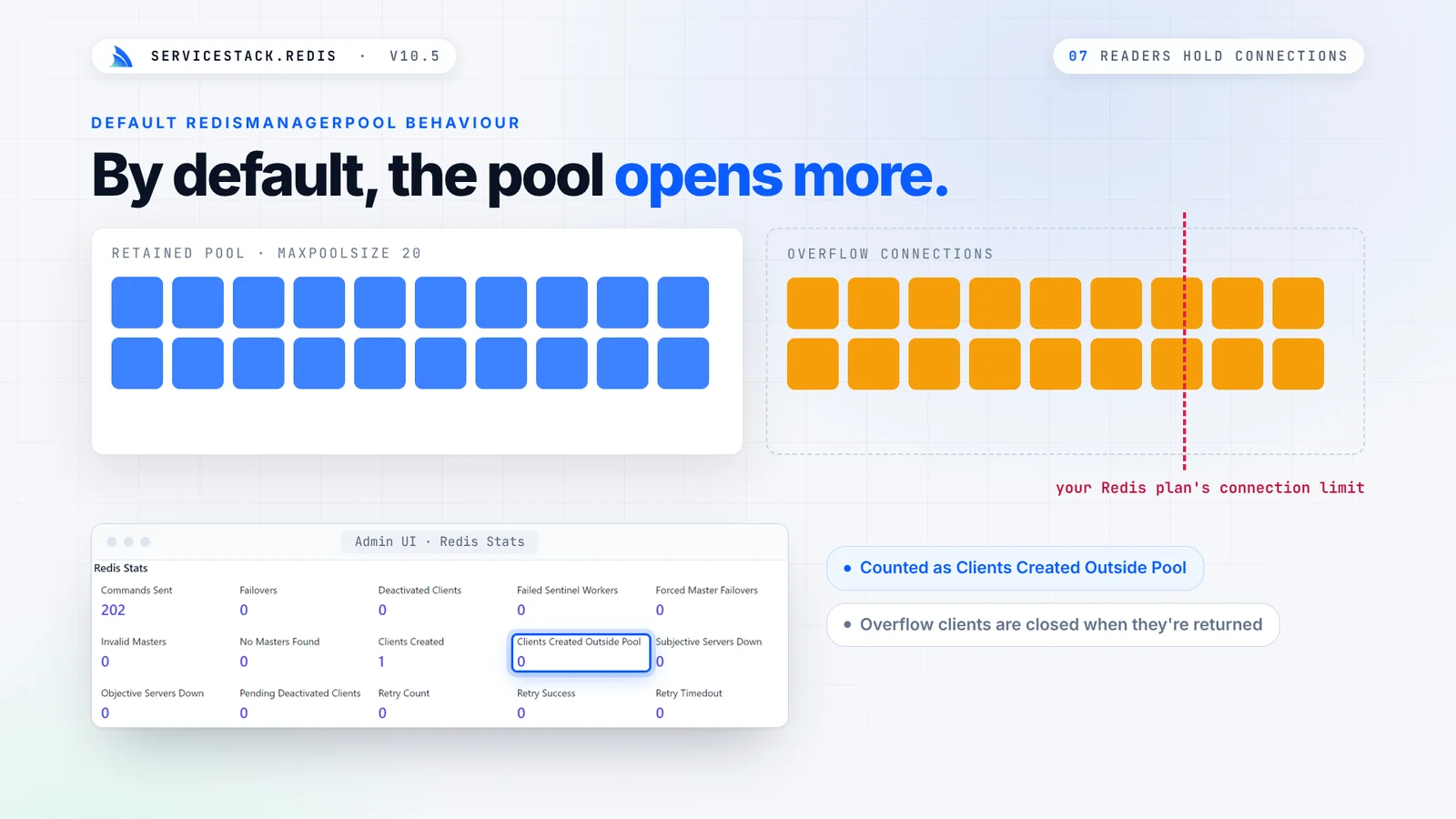
A blocking read holds its connection for the whole wait, so ten workers waiting on a stream use ten connections. By
default, RedisManagerPool creates extra connections whenever its pool is exhausted, so a traffic spike can open far
more connections than you planned for, all the way to your Redis plan's connection limit:
Cap it with MaxLiveConnections
v10.5 adds an opt-in limit on the connections a pool opens:
using var pool = new RedisManagerPool("localhost:6379", new RedisPoolConfig {
    MaxPoolSize = 20,          // Clients kept for reuse
    MaxLiveConnections = 40,   // Max open connections at any one time
    MaxWaitingClients = 100,   // Max callers waiting for a free connection (0 = fail fast)
    PoolTimeout = 2000,        // Max time in ms to wait for a free connection
});
At the limit, callers wait in line for a free connection, and fail with a TimeoutException if none frees up within
PoolTimeout. When the wait queue is also full, they fail immediately, instead of piling up behind a saturated Redis:
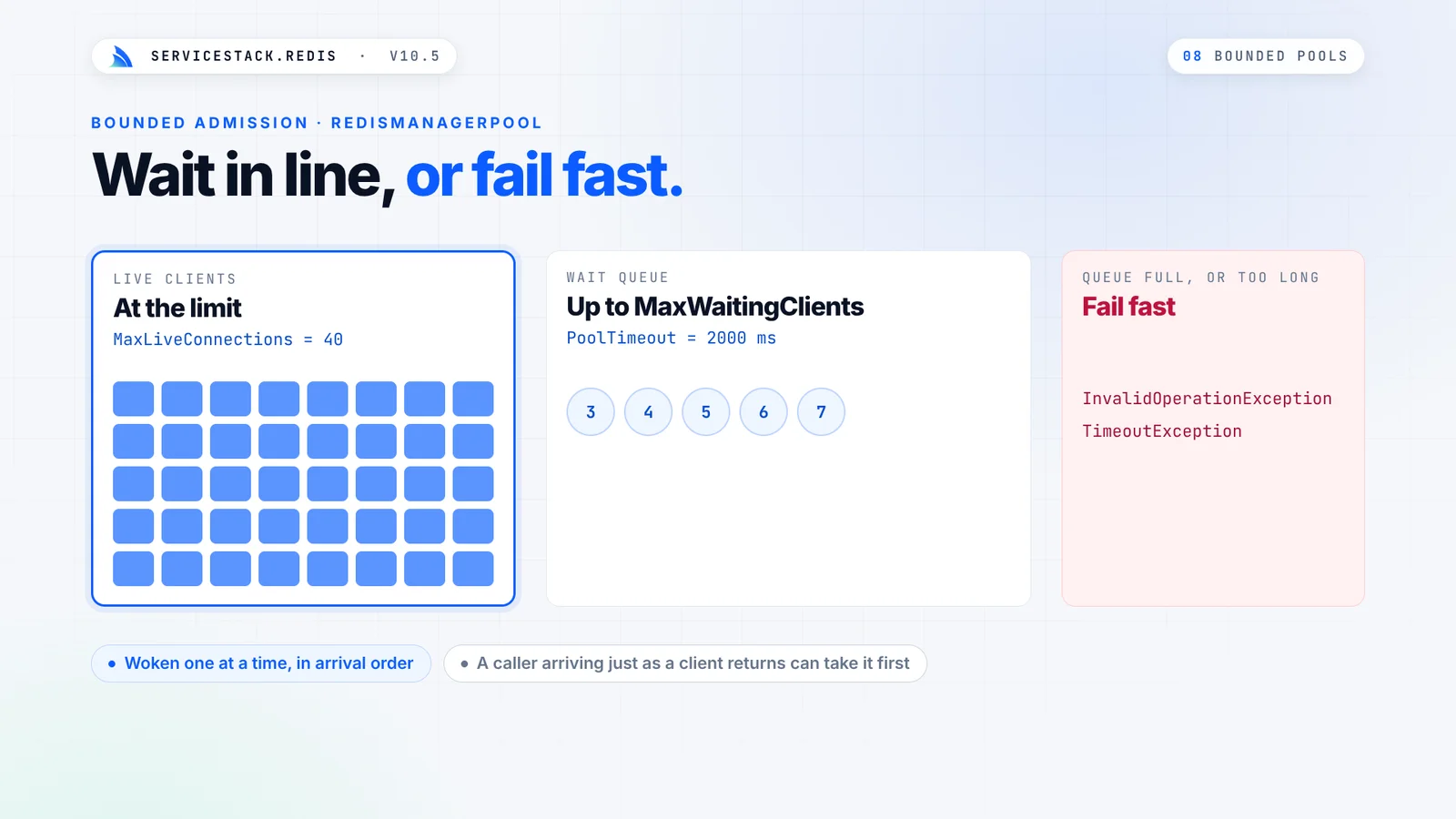
Sync and async callers share the same limit, and GetStats() includes the new admission counters. Leave
MaxLiveConnections unset and the pool behaves exactly as before.
Waits you can cancel, served in order
Both PooledRedisClientManager and RedisManagerPool now stop waiting for a free client when the CancellationToken
passed to GetClientAsync() is cancelled, and waiting callers, sync or async, are served in the order they arrived:
using var cts = new CancellationTokenSource(TimeSpan.FromSeconds(2));
await using var redis = await ((IRedisClientsManagerAsync)redisManager).GetClientAsync(cts.Token);
Each returned client wakes only the next waiter in line, instead of waking every waiter to race for it.
Connecting without blocking a thread
Opening a new connection used to make blocking calls even from the async APIs. Now every step is async: DNS lookup,
TCP connect, TLS handshake, AUTH, SELECT, CLIENT SETNAME and the initial server discovery, all under one
ConnectTimeout deadline that your CancellationToken can end at any step:
using var pool = new RedisManagerPool("localhost:6379?ConnectTimeout=2000");
await using var redis = await ((IRedisClientsManagerAsync)pool).GetClientAsync(token);

// Optional: run your own async setup on every new connection
pool.ConnectionFilterAsync = async (client, token) => await client.PingAsync(token);
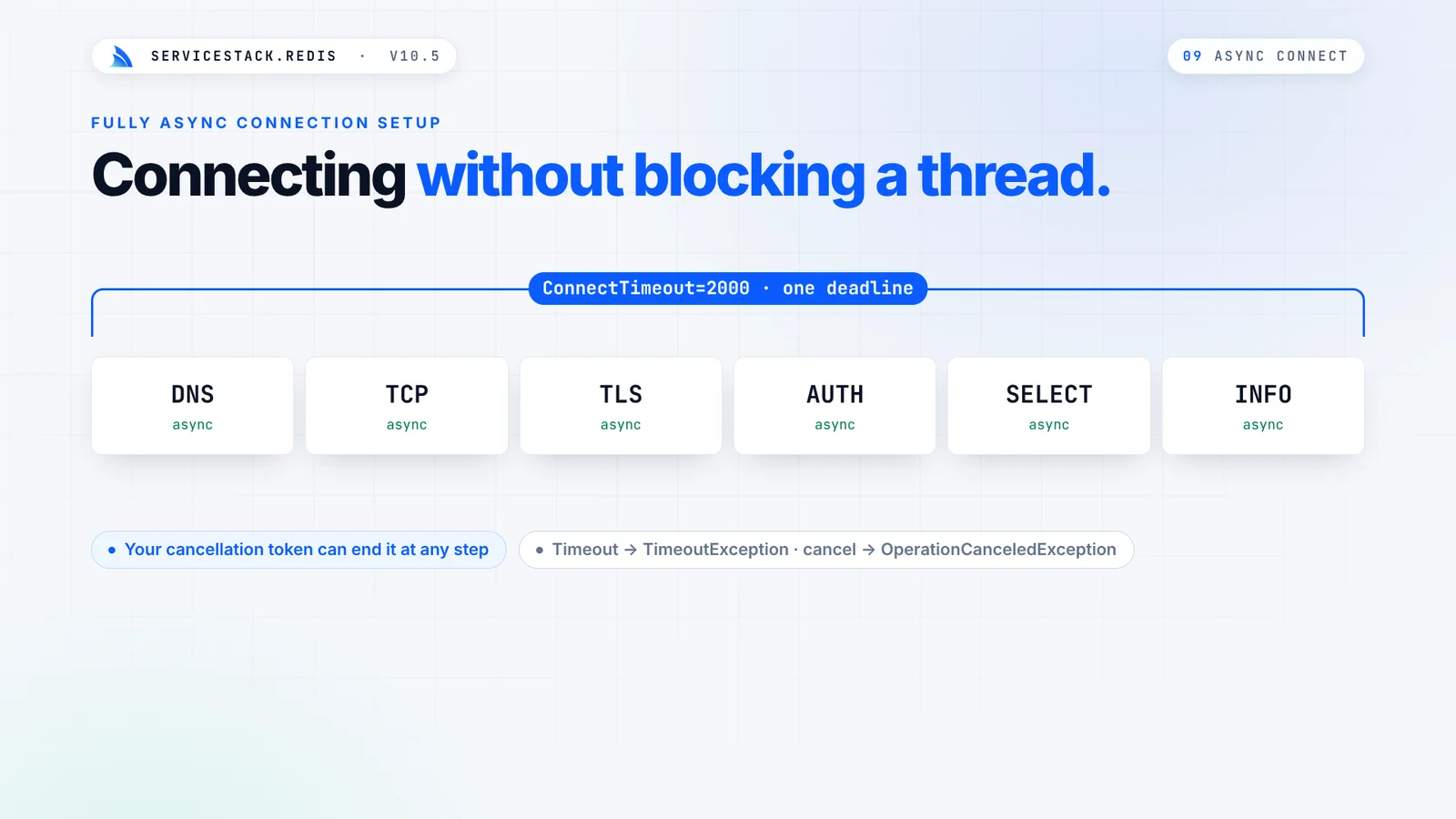
Under load, that means thread pool threads stay free for your App's own work, instead of waiting on connection setup.
IPv6 and rediss:// URIs
Connection strings now accept IPv6 addresses (in brackets, e.g. [::1]:6379), and hosts that resolve to both IPv4
and IPv6 addresses try IPv4 first, so hosts you reach over IPv4 today connect exactly as before. They also accept
standard rediss:// TLS URIs, with URL-encoded ACL credentials and a database number:
using var redis = new RedisClient("rediss://user:p%40ss@redis.example:6380/2");
Reliability fixes underneath
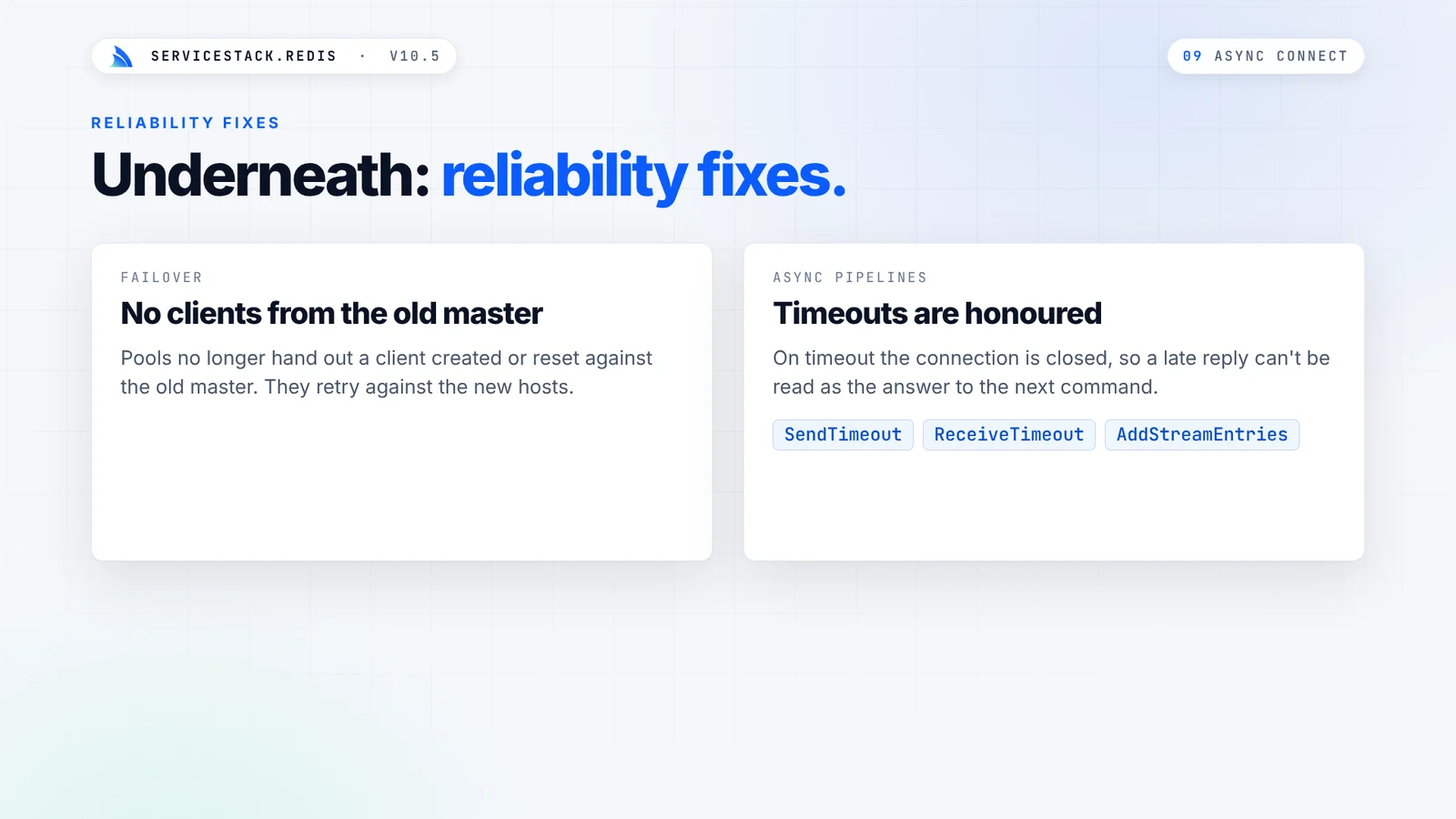
- Failover - pools no longer hand out a client that was created or reset against the old master during a failover; they retry against the new hosts instead
- Pipeline timeouts - async pipelines, including
AddStreamEntries, now honorSendTimeoutandReceiveTimeout, and close the connection on a timeout, so a late reply can never be returned as the answer to the next command - Partial sends - sync and async sends now finish writing commands when the socket only accepts part of a buffer
- Custom resolvers - subclasses that override
RedisResolver.CreateRedisClientkeep applying their credentials, TLS and routing for clients acquired withGetClientAsync()
Which queue should you use?
Streams aren't the only way to queue work with Redis. The new Queues docs show how to build simple, reliable, delayed and priority queues with Redis Lists and Sorted Sets, and when to use a complete solution instead:
| Lists | Streams | Redis MQ | Background Jobs | |
|---|---|---|---|---|
| Delivery | One consumer | Each consumer group | One consumer | One worker |
| Survives a worker crash | With the reliable queue recipe | Pending entries + claim | Yes | Yes |
| Retries & dead letters | Build it yourself | Build it yourself | Built in | Built in |
| Scheduling | Sorted Set recipe | Build it yourself | No | Built in, including recurring |
| Message history | No | Yes, until trimmed | No | Yes, in the database |
If you want retries, scheduling and a dashboard without building them yourself, Background Jobs runs your commands and APIs durably on the database you already have.
More you can do with Redis
The queue recipes are part of the new Redis Use-Cases docs, with tested recipes that map common problems to the Redis structures that solve them:
- Leaderboards - top-N, a player's rank, the players around them and weekly boards with Sorted Sets
- Counters & Analytics - atomic counters, time buckets, and counting a million unique visitors in 14 KB with a HyperLogLog, where a Set takes 37 MB
- Geospatial - store locators, live driver positions and geofencing
- Caching Patterns and Distributed Rate Limiting, covered in our Redis caching post
Upgrade today
With v10.5, your workers share the load, a crashed worker's messages are reclaimed instead of lost, and your pools stay within the connections you planned for. All new APIs are additive, see the v10.5 Release Notes for the one behavior change to check before upgrading.


