Instant AI Integration: Expose ServiceStack APIs to LLMs & MCP


Your APIs are now AI Tools
In 2023 we set out to build a natural language ordering experience for a CoffeeShop App. The goal sounded simple:
Order two grande hot oat milk lattes with light vanilla syrup for Sam.
Turning that sentence into a valid, priced and persisted order was anything but simple.
Our original solution used Microsoft's TypeChat to constrain an LLM with a custom TypeScript schema. We modelled every product, size, temperature and option in TypeScript, generated the schema and prompt from our .NET data model, invoked a Node.js process from .NET, handled schema validation and corrective retries, translated the result into our application's types, then built custom application logic and UI around the result.
It worked, and at the time it was a useful demonstration of how schemas could make probabilistic LLM output safe enough for application code. But it also exposed the cost of the approach: we had created a second, AI-specific description of our application that needed to remain synchronized with the real APIs, validation rules, database and authorization model.
Let the AI decide
The biggest lesson was that every piece of hand-coded logic we added to constrain or steer AI behavior was eventually made redundant. Schema validation, corrective retry loops, prompt scaffolding to force a particular output shape - all of it was discarded as models grew capable enough to make those decisions themselves. The smarter approach turned out to be the open-ended one: expose your real APIs with rich metadata as the single source of truth, let models progressively discover what is available and decide what to call. That kind of architecture can accomplish far more than any number of hard-coded use-cases, and it improves automatically as models advance.
Introducing API Tools
Today the same end-to-end CoffeeShop experience can be added to a ServiceStack App in minutes.
ServiceStack's new API Tools let AI Models discover, learn and call your existing ServiceStack APIs. The built-in AI Chat UI gives users a complete conversational interface with editable approval forms, whilst the built-in MCP Server makes the same APIs available to external AI Assistants like OpenCode, Claude Code, Cursor and VS Code.
There is no parallel TypeScript schema, no bespoke function-calling gateway and no AI-specific application backend. Your typed ServiceStack Request DTOs, metadata, validation, authorization and Services remain the single source of truth.
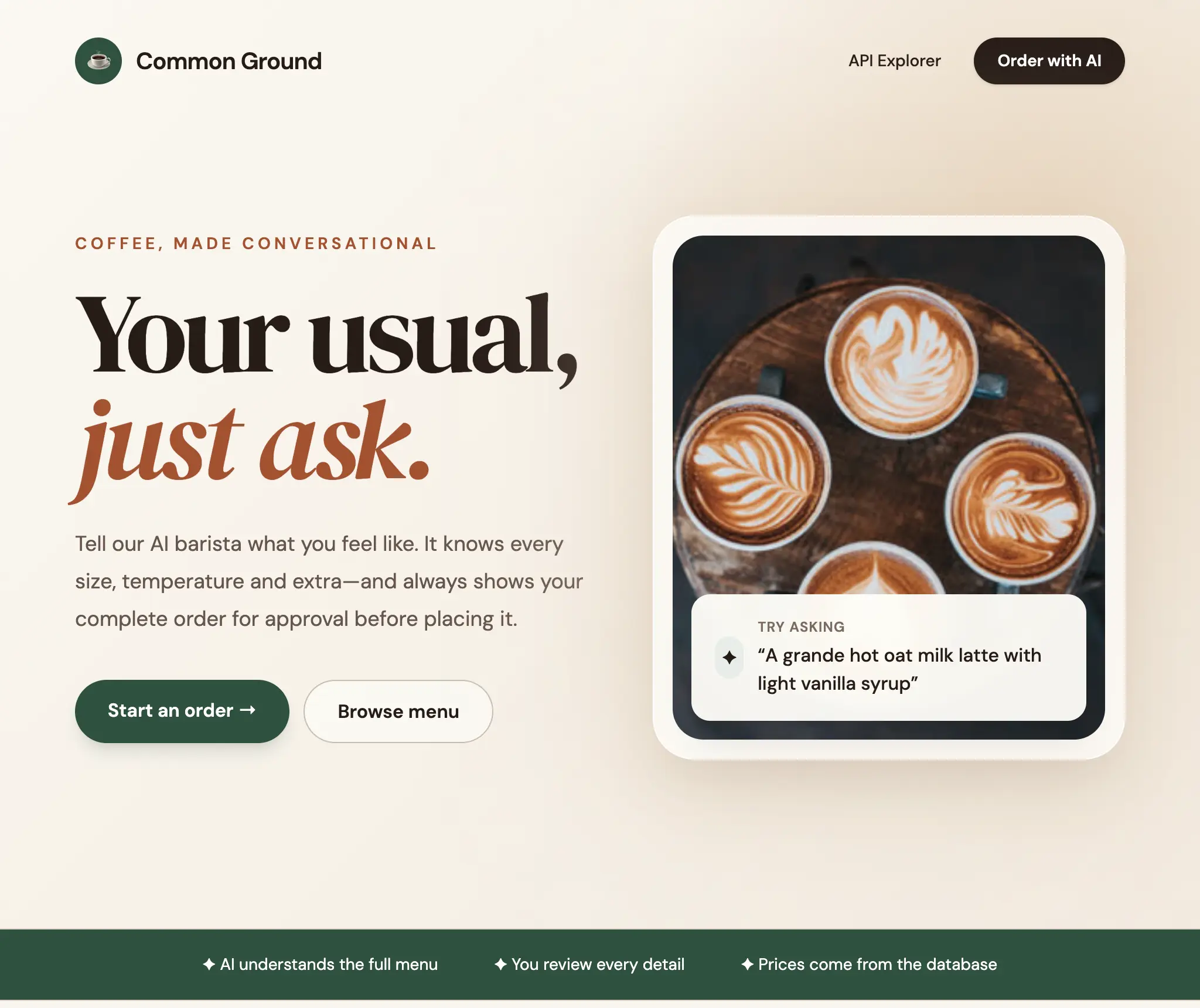
From weeks of integration to minutes of configuration
The old CoffeeShop required us to build and maintain an AI translation pipeline:
- Model the menu and ordering language in a TypeScript schema.
- Generate a prompt containing the schema and application-specific instructions.
- Install and invoke Node.js and TypeChat from the .NET App.
- Validate the model's JSON and retry with corrective prompts.
- Translate the TypeChat result into the application's .NET types.
- Resolve generated values against live products and prices.
- Build custom APIs and UI for reviewing and submitting the order.
- Keep the AI schema synchronized as the application evolved.
The new CoffeeShop uses ordinary ServiceStack APIs for the menu, previewing an order, creating an order and retrieving it. Enabling them for AI.Chat only requires registering the feature:
services.AddPlugin(new ChatFeature {
    // Require authentication to access /chat
    RequireAuth = true,
    // RequiredRole = "Admin",

    Tools =
    {
        // README: Give AI Models access to Filesystem or Code Execution tools
        // EnableCodeExecution = true,
        // EnableFilesystemTools = true,
    },

    // Expose APIs with these tags to API & MCP Tools
    // ApiTools = {
    //     IncludeTags = ["todos"]
    // },

    // Add this App's own tools to the built-in extensions
    // Expose these tools to external AI Agents over MCP at /chat/mcp
    Mcp = {
        // Default uses Two-Phase Confirmation Tokens for write/destructive operations
        // ApprovalMode = McpApprovalMode.DelegateToClient,
    },

    Setup = (ctx => {
        // Advanced setup
    }),
});
The APIs themselves are the same typed APIs used by every other client. A small amount of optional [Tool] metadata helps AI Models select the right API and understand its place in a workflow:
[Tag("CoffeeShop")]
[Description("Returns the complete coffee shop menu with product IDs, prices, " +
             "valid sizes, temperatures and customization options")]
[Tool(
    "the user wants to browse the coffee shop menu, learn what can be ordered, " +
    "check prices, or build an order",
    Safety = ToolSafety.ReadOnly,
    Keywords = ["coffee", "drink", "food", "bakery", "customizations"])]
[Route("/coffee-shop/menu", "GET")]
public class GetCoffeeShopMenu : IGet, IReturn<GetCoffeeShopMenuResponse> { }
For the final write API we can tell the model when to use it, describe its safety, require approval and provide MCP-specific instructions. The [Mcp] attribute lets you add imperative wording for MCP Agents - such as prerequisites and confirmation steps - without polluting the [Description] used by OpenAPI generators and admin UIs:
[Tag("CoffeeShop")]
[Description("Submits and charges a coffee shop order. Product names and " +
             "prices are always resolved from the database.")]
[Mcp(Description =
    "Submits and charges a coffee shop order. " +
    "IMPORTANT: Before calling this API you MUST first call " +
    "PreviewCoffeeShopOrder, present the itemized summary and " +
    "total price to the customer, and WAIT for their explicit " +
    "confirmation.")]
[Tool(
    "the user has finished choosing an order and wants to place or submit it",
    Safety = ToolSafety.Write,
    RequiresApproval = true,
    Keywords = ["buy", "checkout", "place order"])]
[Route("/coffee-shop/orders", "POST")]
public class CreateCoffeeShopOrder : IPost, IReturn<CreateCoffeeShopOrderResponse>
{
    [Description("Name to put on the order")]
    [ValidateNotEmpty]
    public string CustomerName { get; set; } = "";

    [Description("Final order items. The approval form lets the user edit " +
                 "these before submission")]
    [ValidateNotEmpty]
    public List<OrderItemRequest> Items { get; set; } = [];
}
That's the integration. The Request DTO already describes the data contract, its validation attributes already define valid input, its response type already describes the result and its Service already contains the trusted business logic. API Tools make all of it usable by AI without creating a competing application model.
Three tools unlock your entire API surface
Sending every API schema to an LLM on every request would be expensive, slow and confusing. A mature application can contain hundreds of operations, most of which are irrelevant to the user's current request.
Instead, ServiceStack exposes three stable tools:
api_searchfinds APIs relevant to the user's intent.api_describereturns complete schemas and workflow metadata for selected APIs.api_callinvokes an API using its typed Request DTO as the current user.
This gives Models progressive access to application knowledge. They start with a compact searchable index, load detailed schemas only when needed, then call the chosen APIs with structured arguments.
For our CoffeeShop request the model can:
- Search for APIs related to ordering coffee.
- Describe the menu, preview and create-order APIs.
- Call the menu API to resolve the current product ID, supported sizes and available options.
- Preview the order to apply defaults, validate customizations and calculate the current price.
- Present the final create-order request for user approval.
- Submit the approved request and report the persisted order number.
This is an important change in how AI features are built. The model is not asked to memorize a snapshot of the menu embedded in a prompt. It is taught how to find and use the application's live capabilities.
Your ServiceStack metadata becomes AI context
ServiceStack Apps already contain rich machine-readable information about their APIs:
- Request and Response DTOs
- Routes and HTTP methods
- Property and API descriptions
- Required fields and declarative validation
- Enums and allowable values
- Authentication, roles, permissions, claims and scopes
- AutoQuery conventions and result types
- UI metadata such as
[Input]and[Ref]
API Tools reuse this metadata to generate JSON Schemas the model can understand and schema-driven forms users can edit. Existing investments in well-described, well-validated APIs immediately improve AI reliability.
The optional [Tool] attribute adds the information most useful to an Agent:
WhenToUseexplains the user situation in which it should select the API.KeywordsandAliasesimprove discovery using natural user vocabulary.Examplesdemonstrate realistic request payloads.Prerequisitesidentify APIs that should be called first.Previewidentifies a read-only validation or pricing API.FollowUpssuggest useful next operations.Safetyclassifies the operation as read-only, write or destructive.RequiresApprovalguarantees a human decision before execution in AI.Chat.FieldsandTakekeep large query responses within useful context limits.
These are hints layered on your real API contract, not a new contract that must be kept synchronized.
Human approval is part of the workflow
Giving an LLM access to an API should not mean giving it permission to perform every operation unattended.
AI.Chat infers safe defaults from HTTP semantics: reads can execute immediately, whilst writes and destructive operations require approval. APIs can override their safety classification or explicitly set RequiresApproval = true where every call deserves review.
When our CoffeeShop assistant is ready to place the order, AI.Chat does not immediately write to the database. It renders the proposed CreateCoffeeShopOrder Request DTO as an editable form. The user can inspect the customer name, quantities, sizes, temperatures and options, make any final changes, then approve or reject it.
Only an approved request is sent to the Service. Only the successful Service response allows the assistant to report that the order was created.
The valuable part is that no API-specific Chat component had to be written. The approval form is generated from the API's own schema, so complex nested DTOs, collections, allowable values, descriptions and validation all remain visible and editable - and every API you add later gets the same treatment for free. API Schemas, next in this series, covers how that rendering works and how to use the same components in your own Apps.
This gives users the convenience of natural language without surrendering control of consequential actions.
After the request is submitted, the AI model is informed whether the user approved the proposed order as-is or made changes, allowing it to acknowledge modifications and adjust its understanding of the user's preferences.
The AI acts as the authenticated user
API Tools are not a privileged backdoor into your application.
Search, description and execution all operate within the current HTTP request and authenticated identity. APIs the user cannot access are omitted from search, cannot be described and cannot be called. Existing authentication requirements, API-key rules, roles, permissions, claims and scopes remain enforced.
Calls are deserialized into the real Request DTO and executed through ServiceStack's in-process Service Gateway. Existing DTO validation, Service filters, business rules and database behavior remain authoritative.
That means the safest way to make your application AI-accessible is also the familiar way: design focused APIs, validate at the boundary, authorize on the server and expose only the capabilities each user needs.
Built-in AI.Chat for every ServiceStack App
With ChatFeature enabled, ServiceStack Apps gain a complete AI Chat interface at /chat. Developers do not need to build a chat shell, tool-call renderer, schema viewer, approval experience or conversation UI before testing an AI workflow.
AI.Chat can use API Tools alongside its other enabled tools, allowing applications to combine their business APIs with capabilities such as search, files, images, audio or custom commands. Because the tool registry is shared, custom AI.Chat tools and ServiceStack Commands can participate in the same experience.
This makes AI.Chat useful beyond a demo page. It can become a natural language operations console for internal users, a guided assistant for customers, an administration interface for support teams or a rapid way to test whether existing APIs provide enough context for autonomous workflows.
Connect any MCP-compatible AI Assistant
AI experiences should not be confined to a single chat UI. ServiceStack's built-in MCP Server exposes selected AI.Chat tools over the open Model Context Protocol using stateless Streamable HTTP.
Enable the api_tools group and external Assistants gain the same api_search, api_describe and api_call capabilities:
Mcp =
{
    ToolGroups = ["api_tools"],
}
The default endpoint is:
MCP clients authenticate with a ServiceStack API key in the Bearer token, so tools execute as the API key's user with their roles and scopes. This works with ServiceStack's ASP.NET Core API Key Feature which lets you create and manage API keys for your users, each scoped with specific roles, permissions and expiry dates.
The MCP Server publishes input and output schemas, structured results and safety annotations. Images and audio can be returned inline whilst larger files are represented as resource links. Tool groups and explicit tool names let applications expose only the capabilities intended for external clients.
The screenshots below all run the same CoffeeShop workflow - browse the menu, preview a priced order, then place it - from different external Assistants against the same unmodified ServiceStack App.
Claude Code
Claude Code registers the remote MCP Server with a single command:
claude mcp add --transport http coffeeshop https://your-app.example.com/chat/mcp \
  --header "Authorization: Bearer ak-xxxx"
The entire ordering workflow then happens in the terminal. It discovers the menu with api_search and api_describe, prices the order with a preview call, pauses for confirmation because the ordering API is annotated as a write operation, then submits it with the short-lived confirmation token:
Claude Desktop
Claude Desktop connects to remote MCP Servers with mcp-remote, configured in claude_desktop_config.json:
- macOS:
~/Library/Application Support/Claude/claude_desktop_config.json - Windows:
%APPDATA%\Claude\claude_desktop_config.json
{
  "mcpServers": {
    "coffeeshop": {
      "command": "npx",
      "args": [
        "mcp-remote@latest",
        "https://your-app.example.com/chat/mcp",
        "--header",
        "Authorization: Bearer ${AUTH_TOKEN}"
      ],
      "env": {
        "AUTH_TOKEN": "ak-xxxx"
      }
    }
  }
}
Same APIs, same validation rules, same authorization - this time driven from a desktop chat UI where the confirmation step is rendered as an inline approval the user clicks through before the order is submitted:
Codex
OpenAI's Codex registers the same endpoint from its CLI:
codex mcp add coffeeshop https://your-app.example.com/chat/mcp \
  --header "Authorization: Bearer ak-xxxx"
Or directly in ~/.codex/config.toml:
[mcp_servers.coffeeshop]
url = "https://your-app.example.com/chat/mcp"
http_headers = { "Authorization" = "Bearer ak-xxxx" }
The Codex App then runs the identical workflow from ChatGPT's models, arriving at the same $10.00 total for the same 2 × Hot Grande Oat Milk Lattes before placing the order:
OpenCode
OpenCode registers remote MCP Servers in its JSON config:
{
  "type": "remote",
  "url": "https://your-app.example.com/chat/mcp",
  "oauth": false,
  "headers": {
    "Authorization": "Bearer {env:MY_APP_API_KEY}"
  }
}
Running the same workflow in OpenCode's TUI makes each step of the protocol visible - api_search narrowing to the right APIs, api_describe loading the contract, api_call invoking GetCoffeeShopMenu then PreviewCoffeeShopOrder. The preview comes back needing approval, which OpenCode surfaces as its own native prompt, and the confirmed call replays the signed confirmationToken alongside CreateCoffeeShopOrder:
Because MCP is model-agnostic, the same ServiceStack endpoint works regardless of which AI model powers the assistant. Here the CoffeeShop workflow completes successfully under two very different models - Luna Pro and DeepSeek Flash - each discovering the menu, previewing the order and placing it through the same api_search, api_describe and api_call tools:
Oh My Pi
Oh My Pi is another MCP-compatible assistant that can connect to the same ServiceStack endpoint. Registering the server is a single command:
Once registered, Oh My Pi discovers the available tools and can list them alongside any other MCP servers it is connected to:
Here it runs the full CoffeeShop ordering workflow using GLM 5.2 - yet another model driving the same typed APIs, validation rules and authorization boundaries:
Approval across MCP boundaries
The built-in AI.Chat UI can pause execution and render ServiceStack's editable approval form. A generic MCP client cannot render or resume that same server UI workflow, so MCP uses a configurable ApprovalMode policy.
Default: Two-Phase Confirmation Token
By default, ApprovalMode = McpApprovalMode.ConfirmationToken. When a write or destructive API is called without a token:
- The server returns a
requires_confirmationstatus containing a summary, argument parameters, and a signed, short-livedconfirmationToken. - The AI assistant presents the summary to the user in chat for confirmation.
- Upon approval, the assistant re-invokes
api_callwith the same arguments and theconfirmationToken. - The server cryptographically validates the token (user identity, target API, payload argument hash, expiry, and single-use replay check) before executing.
Read-only operations execute immediately without requiring a token.
This is the flow visible in the screenshots above: browsing the menu returns immediately, whilst placing the order comes back as a priced summary the assistant has to relay and the user has to approve before it is submitted. The OpenCode "Order Confirmed" screenshot shows the mechanism in the raw - the second api_call carries the signed mcp_cf_… token issued by the preview.
Fail-closed: Reject
Applications that want strictly read-only MCP exposure can refuse all tools requiring approval:
Mcp =
{
    ToolGroups = ["api_tools"],
    ApprovalMode = McpApprovalMode.Reject,
}
Delegate to the MCP client
Applications using a trusted MCP client with its own native confirmation dialog can delegate the approval decision:
Mcp =
{
    ToolGroups = ["api_tools"],
    ApprovalMode = McpApprovalMode.DelegateToClient,
}
In this mode ServiceStack publishes the tool's read-only, write or destructive safety annotations and the MCP client is expected to ask the user before allowing the call.
In all modes, API authorization and DTO validation are never disabled. Only responsibility for the interactive approval decision changes.
This lets the same CoffeeShop workflow run from Claude Code, Claude Desktop, Codex, OpenCode or any other MCP Assistant whilst keeping the trust boundary explicit.
More than Coffee
CoffeeShop is deliberately easy to understand, but API Tools are designed for real ServiceStack applications. Any workflow that can be expressed through well-designed APIs can become available through natural language.
Customer service
Let support staff ask for a customer's recent orders, inspect delivery status, issue an approved refund or add an account note. The assistant can discover the required APIs and the server continues to enforce staff permissions.
Bookings and scheduling
Search availability, resolve customers and resources, preview a booking, then ask for approval before committing it. Follow-up APIs can retrieve confirmation details or send notifications.
Commerce and procurement
Find products from live inventory, calculate current prices, validate quantities and submit an approved purchase. Models no longer need catalog snapshots embedded in prompts.
Business intelligence
Expose focused read-only reporting and AutoQuery APIs so users can ask questions in natural language. Default fields, row limits and truncation protect the model's context from unbounded datasets.
Internal operations
Create tickets, update CRM records, run reports, manage content or initiate deployment workflows from AI.Chat or an MCP-enabled development assistant. Destructive actions can be explicitly classified and guarded.
Vertical AI assistants
ServiceStack developers can package the domain knowledge already present in their APIs into specialized assistants for healthcare, finance, logistics, education, property management and other industries. The application remains responsible for deterministic validation and authorization; the model provides natural language understanding and orchestration.
Better APIs produce better Agents
API Tools remove most of the integration work, but they do not remove the value of thoughtful API design. Models are most reliable when APIs are focused, names are clear, descriptions explain intent and write workflows provide a read-only preview.
The best pattern for consequential workflows is:
This pattern works because each participant does what it is best at:
- The LLM understands the user's language and chooses a workflow.
- ServiceStack supplies authoritative schemas and live application capabilities.
- Read APIs resolve current IDs, allowed values, prices and state.
- Preview APIs normalize and validate without side effects.
- The user approves the exact operation that will be performed.
- Write APIs enforce business rules and persist the result.
The result is more dependable than asking a model to emit a large domain object from a static prompt and hoping every duplicated rule is still current.
One application, one source of truth, every AI client
Our original CoffeeShop demonstrated that LLMs could translate natural language into structured application data. It also required weeks of work to build the schemas, prompts, providers, translation pipeline, validation loop and custom UX around one domain.
ServiceStack API Tools turn that architecture inside out. Instead of building a parallel AI application, they let the model progressively discover and use the application you already have.
The same CoffeeShop request now works through the built-in AI.Chat UI and external MCP Assistants. It uses live menu data, shares the application's DTO validation and business logic, respects the current user's authorization and places the final write behind an explicit approval boundary.
What took weeks for one purpose-built demo can now be enabled in minutes for any well-designed ServiceStack App.
Your APIs are no longer just endpoints for code. They are a safe, typed and discoverable capability layer for AI.
Get Started
API Tools ship with AI Chat, so a .NET 8+ ServiceStack App gets both from:
API Tools are on by default once ChatFeature is registered. Only APIs you opt in are exposed - decorate them with [Tool], or include their tags:
services.AddPlugin(new ChatFeature {
    RequireAuth = true,
    ApiTools = {
        // APIs with [Tool] are always included; add whole tags here
        IncludeTags = ["CoffeeShop"],
    },
});
Then open /chat and ask for something your APIs can do. To let external Assistants use the same tools, name the group over MCP:
Mcp =
{
    ToolGroups = ["api_tools"],
}
and point your MCP client at https://your-app.example.com/chat/mcp with a ServiceStack API key as the Bearer token.
A good first step on an existing App: pick one read-only API, add a [Tool] attribute describing when to use it, and ask AI Chat a question that should reach it. Once discovery works for one API, adding the rest is just metadata.


