.NET 10's new OpenAPI Scalar + Swagger UIs


.NET 10 LTS
We're excited to announce ServiceStack v10 - a major release aligned with Microsoft's newly released .NET 10!
This milestone release brings first-class .NET 10 support across the entire ServiceStack ecosystem, with all packages now shipping native .NET 10 builds optimized for the latest runtime.
As part of this major version upgrade, we've modernized our tooling and streamlined our package offerings:
- All project templates upgraded to .NET 10 - Start new projects on the latest LTS framework
- Adopted the new
.slnxsolution format - Embracing .NET's modern, simplified solution file format - Enhanced Kamal GitHub Action deployments - Streamlined CI/CD that intelligently derives configuration from your repository name and GitHub Action context
.NET 10 OpenAPI Support
.NET 10 has added support for generating OpenAPI schemas and API Explorer UIs with there now being multiple ways to generate OpenAPI schemas and multiple ways to view them.
Assuming the trend of Microsoft's defaults having a determinant influence on the wider .NET ecosystem, we expect Microsoft's new Microsoft.AspNetCore.OpenApi to become the defacto default and Swashbuckle to suffer a slow death as a result, until then it's still the simpler and more popular combination that we've added .NET 10 support for in the new NuGet package:
ServiceStack.OpenApi.Swashbuckle
Depends on:
- Microsoft.OpenApi v2.x
- Swashbuckle.AspNetCore v10.x
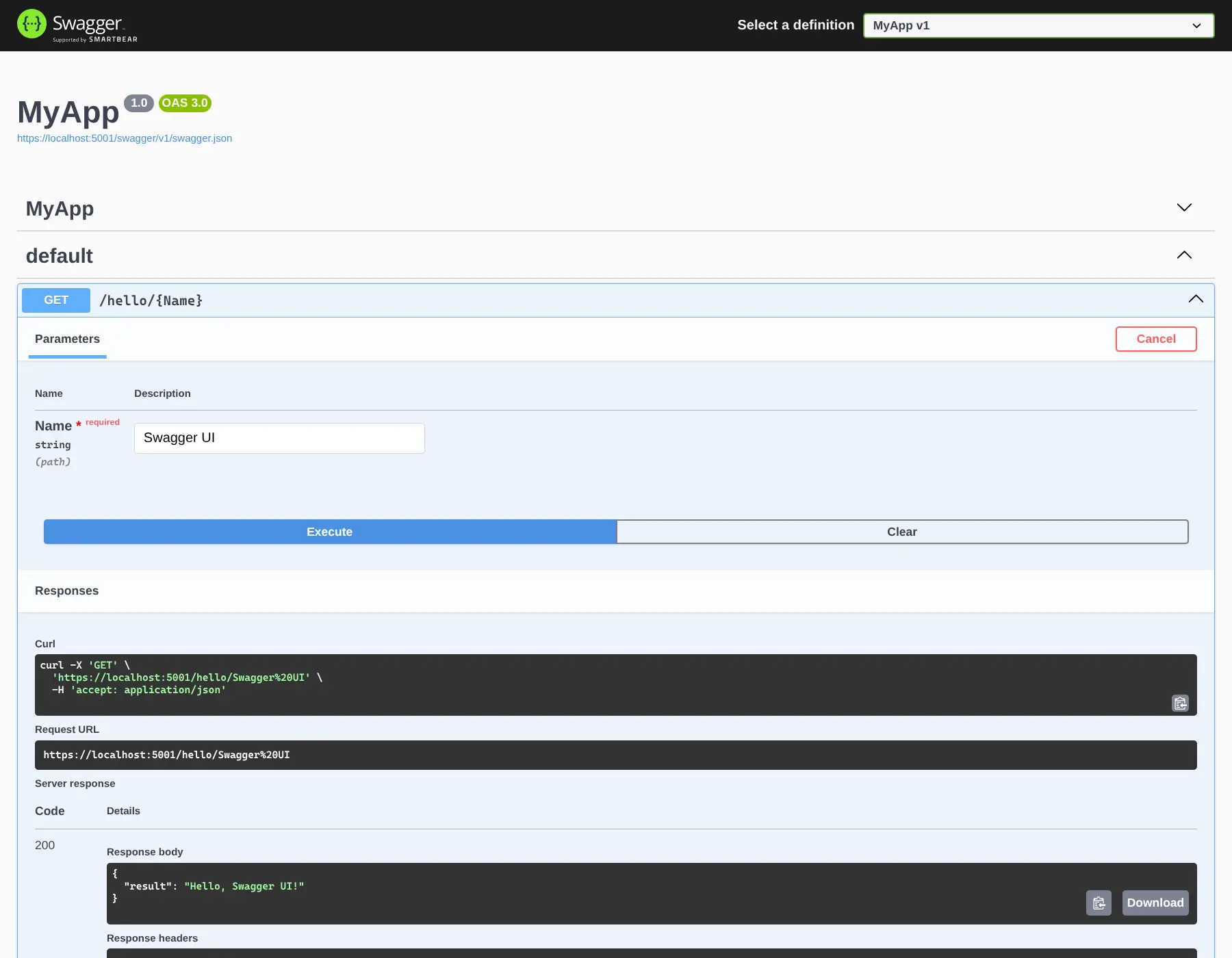
Which can be added to .NET 10 Project with:
npx add-in openapi-swagger
Which uses Swashbuckle.AspNetCore for generating OpenAPI schemas and displaying the Swagger UI.
Microsoft.AspNetCore.OpenApi
This was a more frustrating package to support starting with trying to use the latest Microsoft.OpenApi v3.x results in failures at runtime since its latest version is limited to Microsoft.OpenApi v2.x.
In addition Microsoft.OpenApi v2.x use of Analyzers/Interceptors made it impossible to add support for the Microsoft.OpenApi v2.x in .NET 10 builds whilst preserving Microsoft.OpenApi v1.x for NET 8.0 builds. As a result we've had to publish .NET 10 support in the new NuGet package:
ServiceStack.OpenApi.Microsoft
Depends on:
- Microsoft.OpenApi v2.x
- Microsoft.AspNetCore.OpenApi v10.x
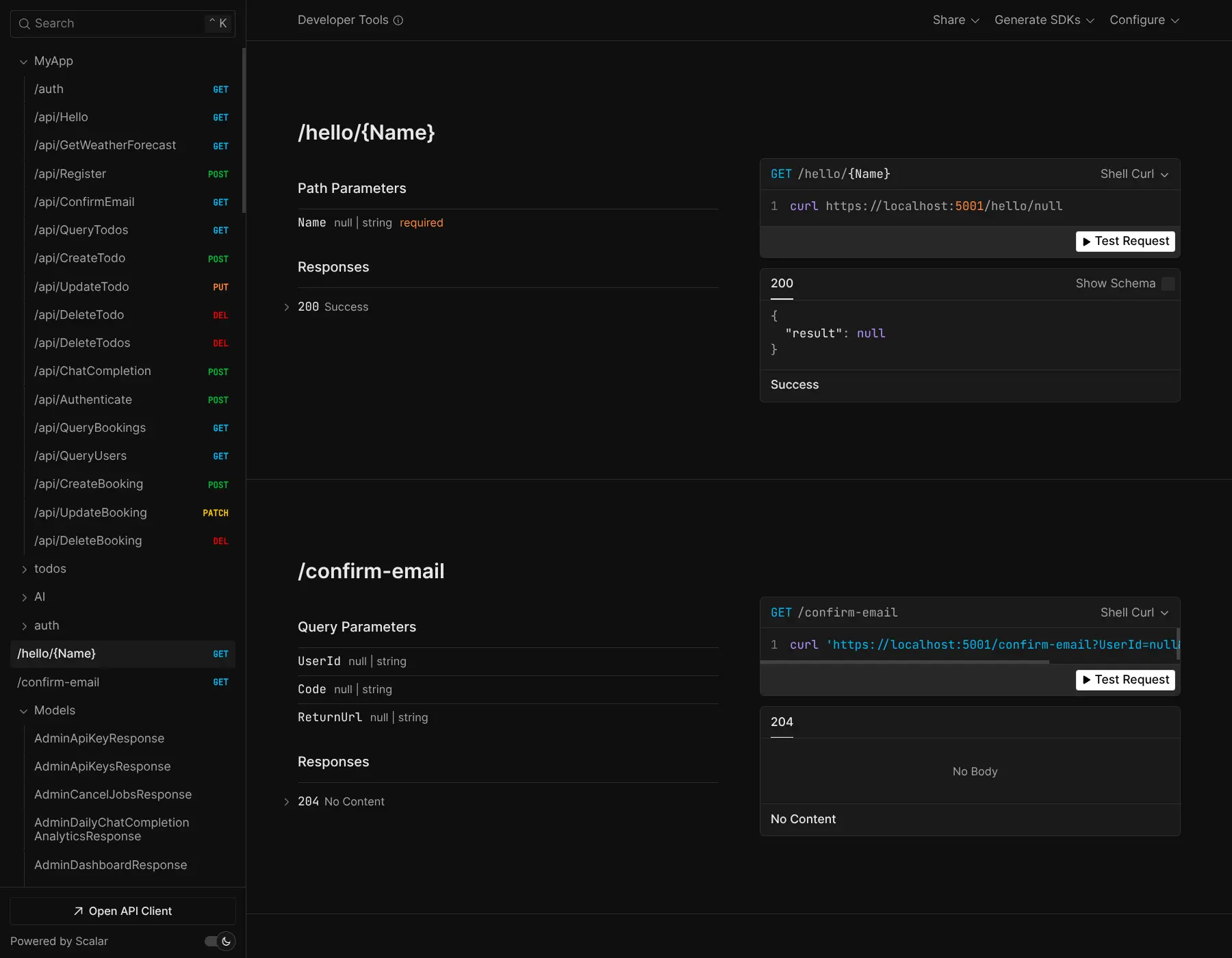
Which can be added to .NET 10 Project with:
npx add-in openapi-scalar
Which uses Microsoft.AspNetCore.OpenApi to generate OpenAPI schemas and is configured to use Scalar.AspNetCore
to display the newer Scalar UI from the VC-backed scalar.com.
Unfortunately Microsoft.AspNetCore.OpenApi has issues that we're surprised to find its complexity leaking into end-user projects which requires adding an <InterceptorsNamespaces> configuration to your MyApp.csproj:
<PropertyGroup>
  <InterceptorsNamespaces>$(InterceptorsNamespaces);Microsoft.AspNetCore.OpenApi.Generated</InterceptorsNamespaces>
</PropertyGroup>
Another alternative we've discovered to avoid build issues is to disable its XML Comment source generator:
<!-- Disable the XML comment source generator to avoid compatibility issues with Microsoft.OpenApi -->
<Target Name="DisableCompileTimeOpenApiXmlGenerator" BeforeTargets="CoreCompile">
    <ItemGroup>
        <Analyzer Remove="$(PkgMicrosoft_AspNetCore_OpenApi)\analyzers\dotnet\cs\Microsoft.AspNetCore.OpenApi.SourceGenerators.dll"/>
    </ItemGroup>
</Target>
npx scripts
A new v10.0.0 version of the x dotnet tool is now available with.NET 10 support:
dotnet tool install --global x  # install
dotnet tool update -g x         # update
Although this is the last .NET runtime that the x tool will support as it's being phased out in favor of use-case specific npx scripts as it doesn't require a separate install or needs a .NET 10 SDK to be pre-installed.
The npx tools have the same behavior as the different x sub-features where you can just replace the command prefix with the npx script equivalent, e.g:
| x command | npx script | description |
|---|---|---|
x new |
npx create-net |
Create a new App from a .NET 10 project template |
x mix |
npx add-in |
Register and configure a Plugin with your App |
x ts |
npx get-dtos ts |
Regenerate latest TypeScript DTOs |
x ts <url> |
npx get-dtos ts <url> |
Generate DTOs for a remote ServiceStack API |


